
LD: Don't Go Back
Mystery, Suspense, Psychological, Drama
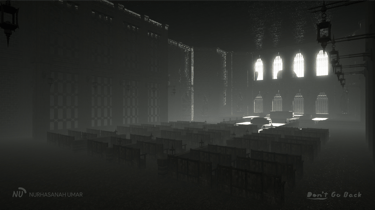
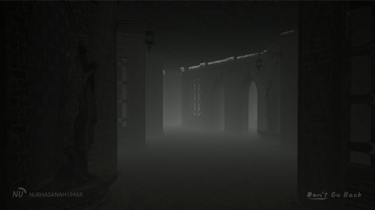
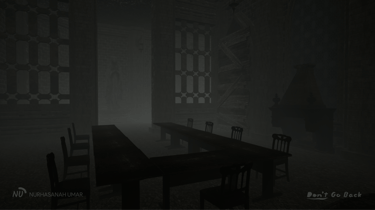
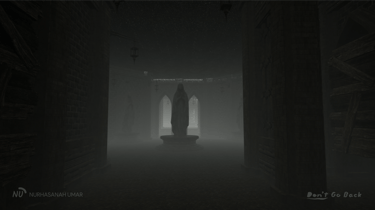
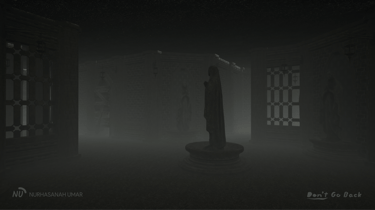
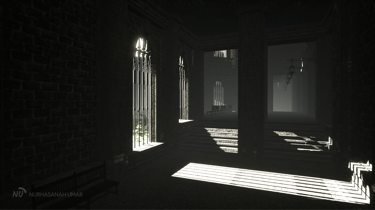

Notes:
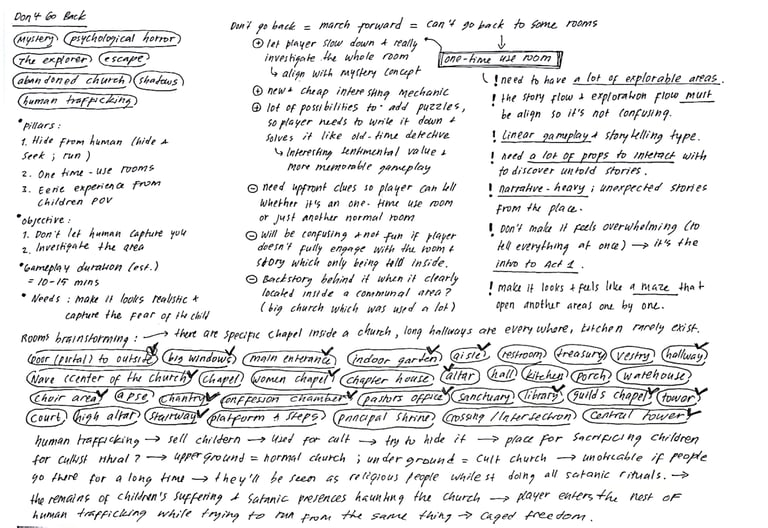
The level design was developed along with the game writing aspect in Don't Go Back page.
The final output of this project was a prototype phase, mainly focused on narrative, level design, environment design, and light design aspects. The programming side was not the priority.


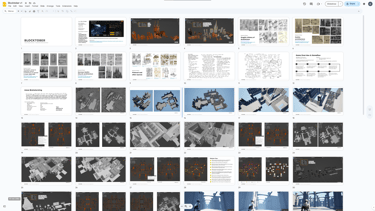
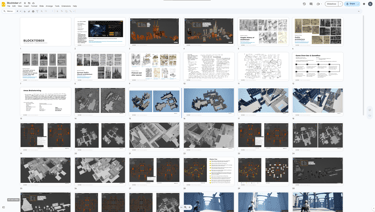
Daily PROGRESSion doc.
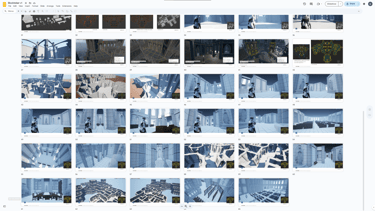
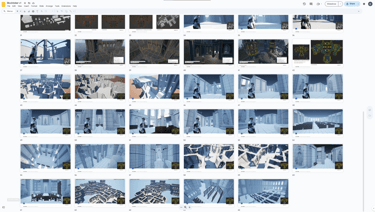
This project was made to participate in Blocktober 2024 at X, so all blockout processes were documented inside Google Slides for daily post progression.
Game Inspiration
This project was inspired by Until Dawn and Indika, so the level design must accommodate the dark and psychological narrative twist while incorporating the exploration, holding breath, and cinematic action with pressing button mechanics.
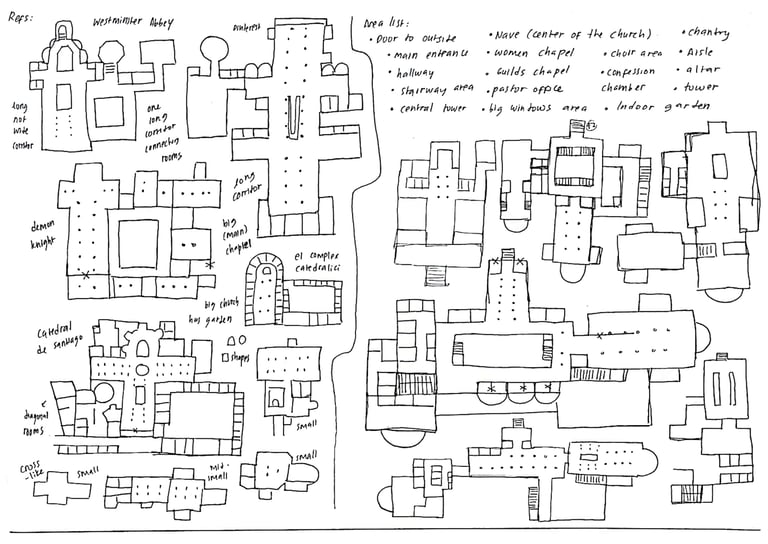
Real-Life Research about Church
Input: Internet Achieve books & Pinterest pictures
Output: list of rooms, size of the churches, decoration style, top-down sketches & interior and exterior references.
(Some) Notes:
Some churches not only have prayer and confession rooms, but they also offer tons of facilities: a big dining room & kitchen for feasts, multiple chapels (women & guilds even have their own chapel), private mourning rooms, etc. It all depends on the size of the church.
Big churches often have their own inner garden and long corridor on two/four sides of it, some of them also have outer gardens, so gardens with long corridors are important.
The shapes of small/non-ceremonial rooms tend to be blocky, the 45° corners used to be in the bigger rooms alongside the arch & pillars to support the ceiling structure.
Available Assets for Unreal
Input: Unreal Marketplace & Quixel Bridge (before it changed into FAB)
Output: list of assets that can be used, vibes and ambience references & interior and exterior references.
(Some) Notes:
The most complete asset type is the modular gothic building: floor, doors, walls, windows, railings, etc., while the decorative props are fewer, so the blockout better be focused on the architectural aspect to divert the player's attention from the lesser props.
Small decorative props have limited themes, and there aren't that many varieties, so I might need to make my own props.
A lot of needed assets are unavailable, while some of the available ones are unfit for the intended environment ambience and storytelling.
Research Phase
Level Design Scope
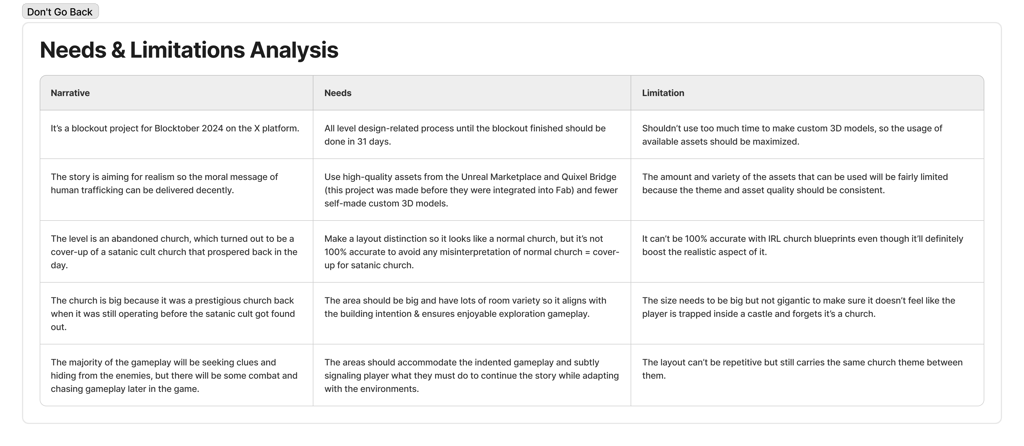
Different from my three previous projects (Black Puddle, Future Siren & Snow Church), which were guided by narrative aspects, this project was guided by practical aspects like 3D resources and the time limit of Blocktober 2024.
Since this project was focused on the level design aspect, the narrative concepts and screenplay tended to follow the blockout progressions. So, there weren't lots of limitations from the story side.
Top-Down Sketches
I redrew real-life church layouts to learn their shapes, sizes, and area placements. After getting the hang of it, I continued to sketch new layouts while designing the building pillars' placement.
Then, I imagined exploring the areas while incorporating the story flow, making it the base ideation for the first blockout layout.
Low-Poly Props pt.1
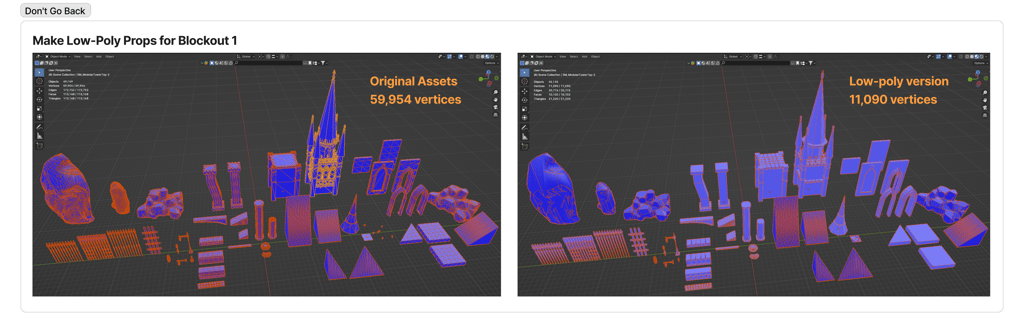
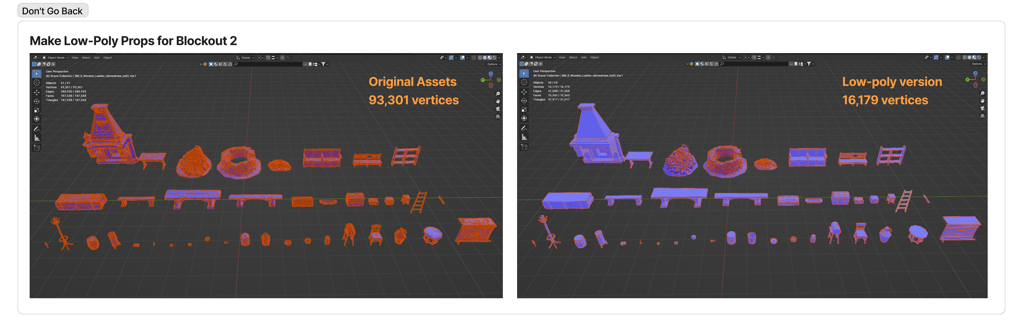
Making low-poly assets is crucial before creating a blockout so the sizes will be accurate to design the gameplay, and it won't be visually distracting when it's being playtested.
So, I created low-poly assets from the game-ready assets that were available in the Unreal Marketplace and the Quixel Bridge inside Blender and exported them back into. fbx.
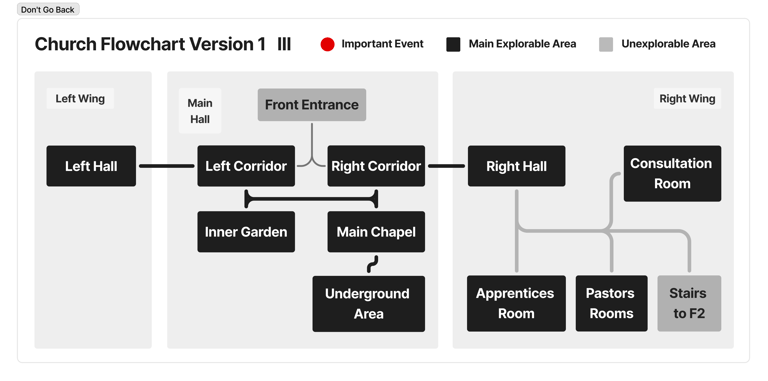
The first flowchart acted as the bigger picture of the whole layout, so it had the least number of areas. I focused on facilitating the missions so they had solid gameplay experiences.
Area Flowchart V1
Blockout V1


Since I was making a gothic church level that focuses on interior and architecture, my mindset was, "I must create blockouts with high snapping precision to avoid any overlapping assets—preventing problems when entering the 3D environment and polishing phase."
UE5 has a snap option to move objects, but Blender has a more advanced snap function, so I decided to make the first blockout in Blender.
But, as I made it, the exploration areas felt too focused on the mission, and it killed the intended grandiose mood of the place. So I should add more areas to deepen the ambience.
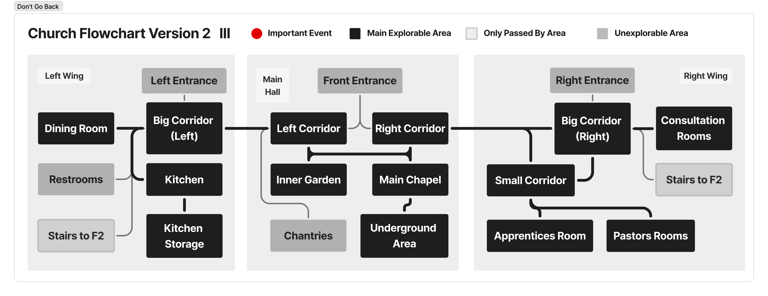
This flowchart focused on adding additional exploration rooms. Since it was an old church, I designed it to have a centralized corridor/hall as a connecting area between different wings. I also made placement categories to decide the location of each room based on its function.
Area Flowchart V2

Blockout V2


Besides adding rooms and changing the layout, I adapted the room sizes based on priorities, functions, and the number of people who would use them back in the past.
Since it was a communal building, I analyzed and adapted the navigation flow so it can facilitate people who came when this church was still fully operational (a long time ago). It deepened the realistic feeling and made me reconsider the private rooms' (apprentices' and pastors' rooms) placements so they won't be directly combined with the communal rooms.
More rooms to explore were added into this third flowchart to expand the exploration gameplay and maximize the grandiosity of the "majestic old church with hidden stories to uncover.".
Area Flowchart V3


Blockout V3


The blockout v1 and v2 were fully created inside Blender, focused on snap-perfect modularity assets since gothic architecture demanded attention to details. So, I continued the progress fully inside Blender—using the fly navigation feature to check the exploration experience.
I had gotten used to the modular assets, so I started to incorporate decorative architecture assets and consider the lighting aspect that would affect the cinematic feel.
But, as I made it, I realized there were tons of explorable areas, which will shift the player's attention from 'escape from the church before the enemies capture him' to 'explore the cool building,' which was a big no.
After the building blockout started to feel solid, I made low-poly versions of the props to fill the rooms for further navigation blocking.
It took time to explore the whole Quixel Bridge and free assets of the Unreal Marketplace to find out the asset variety was not enough for the level needs. So besides using the low-poly version, I also used some assets that I've created for other personal projects.
Low-Poly Props pt.2
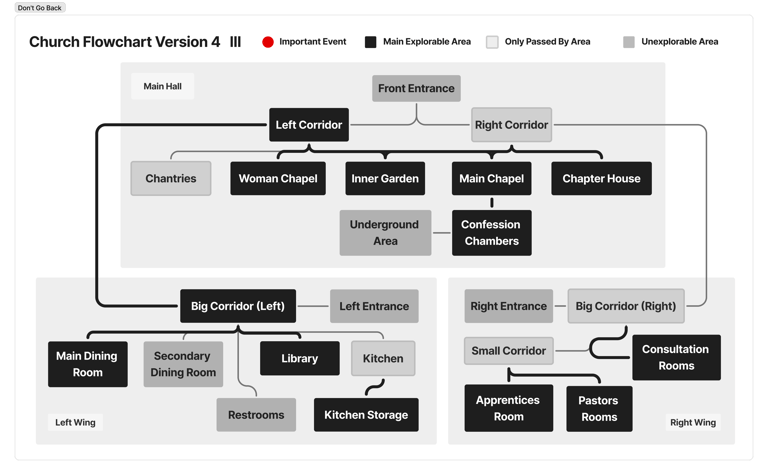
This iteration focused on reducing the explorable areas to make the player focus on the objectives. I also balanced the number of main areas with areas that were only passed once/twice based on the available assets in the Unreal Marketplace and Quixel Bridge.
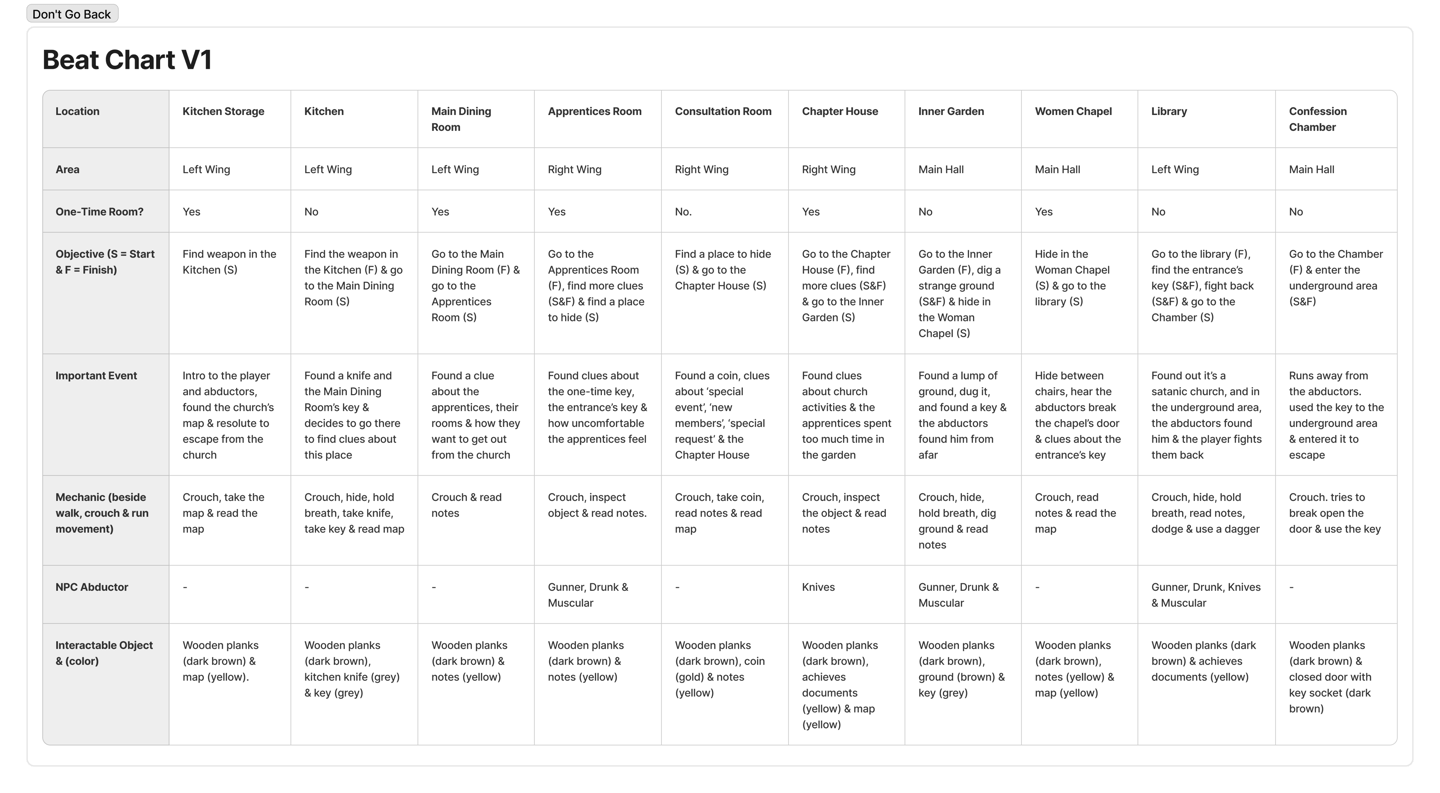
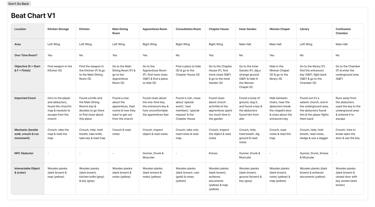
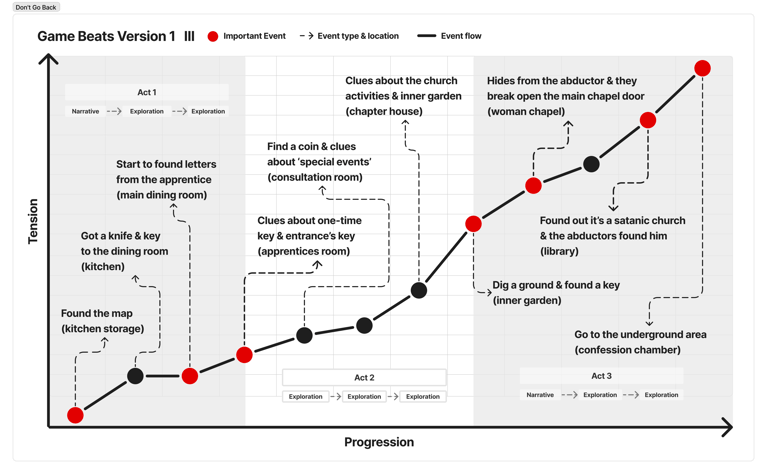
This version has the most balanced exploration areas, so it was used for the first game beats.
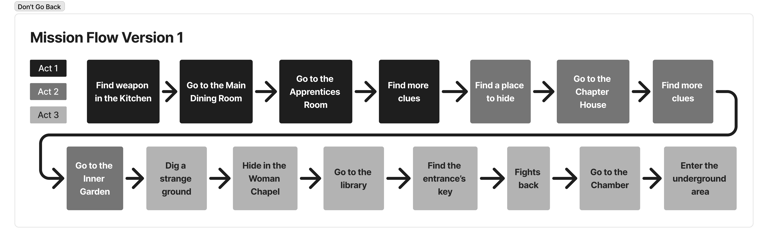
The mission flow was made linear with the game beats to design the overall gameplay concept. It was pretty much an exploration-find clues-hide loop.
This led the player to naturally explore the areas while giving them the freedom to explore other rooms outside of the mission.
The story progressed in a rather fast-paced way: the player explores areas, navigates through rooms that only open once due to the old age of the doors, escapes from the abductors, and uncovers backstories.
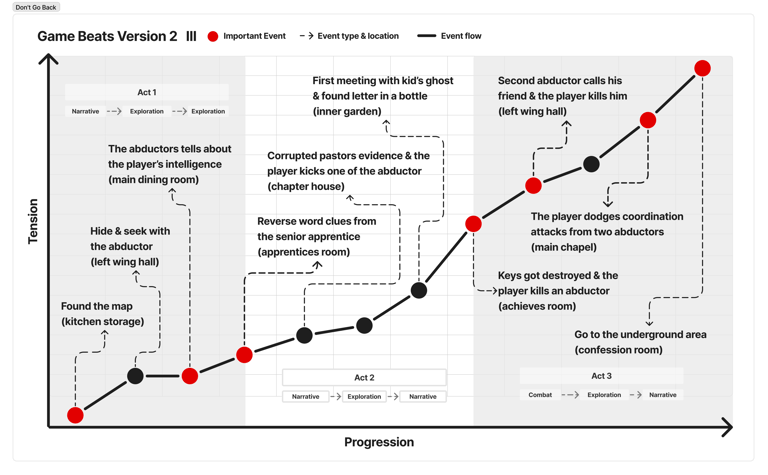
So, the tension builds constantly from start to finish to accommodate the intended 'suspense' and 'thrilling' themes of the project.
Mission Flow V1

Area Flowchart V4
Game Beats V1
Beat Chart V1
Blockout V4


Since the types of rooms that were possible to be made were limited to the available assets from Unreal Marketplace and Quixel Bridge, I reduced the rooms' variety and tweaked their shapes. Then, I exported it from Blender as an .fbx file and playtested it inside Unreal Engine 5.
It looked nice and fitted with the old gothic church theme, but the size was ENORMOUS. Instead of being a church for humans, it felt like a church for giants. At this point, I realized I made a big mistake: I was too focused on modular assets' snapping precision and the visual rather than the gameplay experience.
I always did 'wide angle navigation' inside Blender using the fly navigation feature instead of playtesting it using '3rd POV navigation' inside Unreal Engine 5. In short, I never truly playtest it for the player's navigation experience.
Learn 3D Assets Usage
The sizes and scale problems from the blockout v4 infuriated me. So, I tried to identify why the assets acted that way. I implemented the same dimensions with the native assets. I PRECISELY snapped them so they align perfectly with each other. I even made sure the sizes between areas were distinguishable.
I got stuck with no progress. So, I changed my approach: relearned the asset's usage by analyzing the demo map inside the native asset's project file. I did a thorough exploration in game mode to experience the scales from the player's POV. Then, I broke down the assets' configurations from the 3D artist's POV who made them.
That's when I realized the asset configurations on my blockout were 2/3 times bigger than the demo map. So, I learned more about the modularity usage from the demo map and adapted those data into the next blockout.


There were only minor changes to add more rooms since the previous layout was already made based on the available assets, balancing the exploration areas, and room variety.
The big change was throwing away the 'rooms that can only be entered once' and the 'special hiding place' ideas to maintain the surprise feeling of the underground area.
How can it keep the 'surprise' feeling? Because if I implement them in this level, the players can deduce, "Since the upper ground has these puzzle missions, the underground area must be full of similar things."
The playtests humbled me on how boring it was to explore big areas when the game only gave us a few tasks to do.
The 'willingly exploration' intention backfired since it caused the tension to be all over the place: high when the abductors chased us, too slow when we wandered around, and suddenly high again when we continued the mission.
It caused the level to fully depend on the narrative, which was not ideal for enjoyable gameplay.
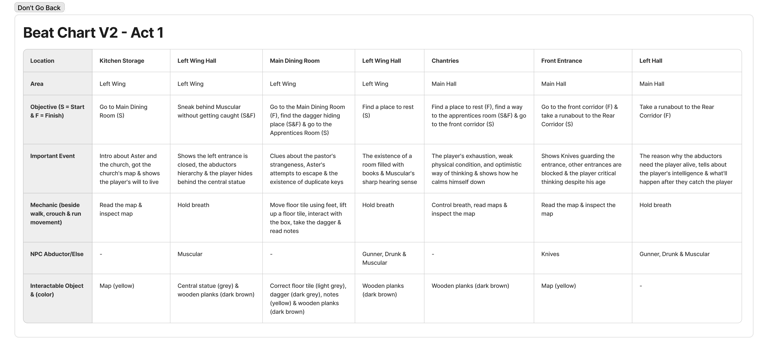
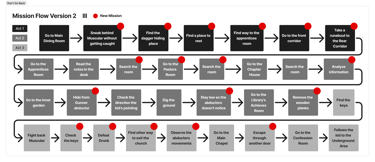
That's why I packed more missions so it didn't feel boring, all while leading the player to explore the building with a purpose.
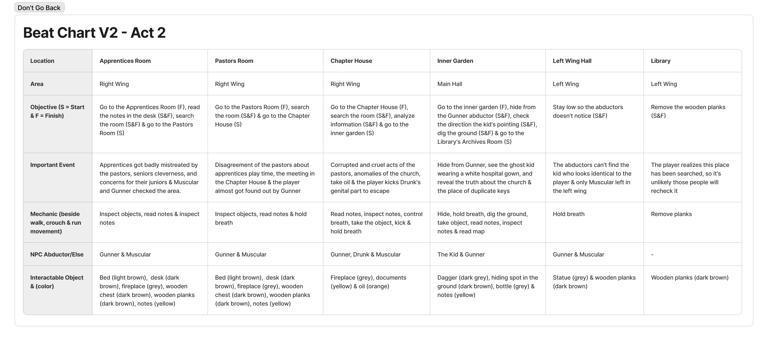
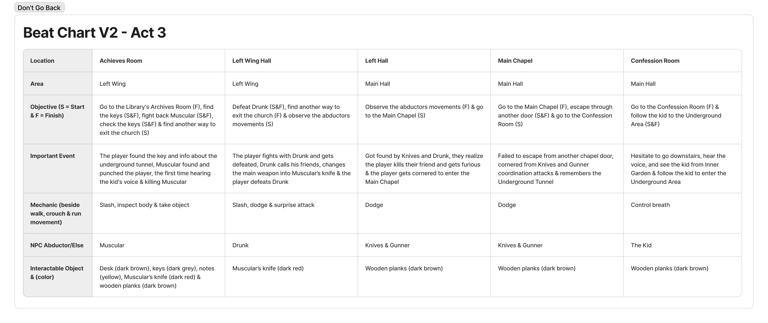
The mechanics adjustments, new rooms to explores, and new missions basically changed the whole narrative progression that happened in the game writing process.
This version was designed to make the player delve deeper into the buried history of the church but still maintained the focus on escaping from the abductors and exiting the church.
Overall, in this project, the story progression was adapting to the level design. So, there weren't a lot of revisions needed to be done in the level design aspects.
Mission Flow V2
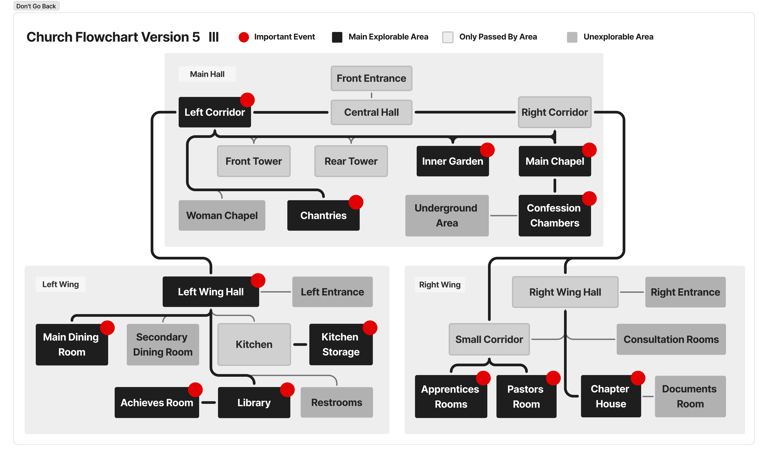


Area Flowchart V5
Game Beats V2
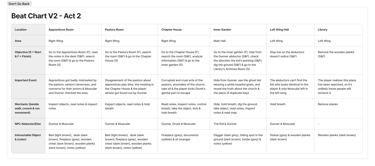
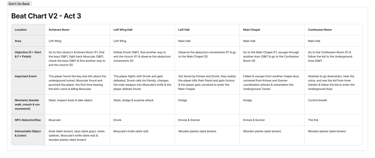
Beat Chart V2
Blockout v5


Learning from previous blockouts, in this phase, I did everything ENTIRELY on UE5 and did tons of playtesting to make sure the distances, scales, and the exploration experience felt right.
There were massive revisions, which were caused by two reasons: adapting each area's size based on the asset configuration and making sure this fictional satanic church feels different from a real-life normal church to avoid any misinterpretations from the player.
To solve the second problem, I re-analyzed the IRL churches dataset from the research phase and noticed a pattern: the main areas tend to be a rectangular shape with a half-circle on the front side of the chapel. It made me think, "Why don't I use a different shape but still follow the 'rounded edges' concept? It gives distinctions while keeping the familiar church ambience through different visuals". So, I tried to do that.
After trials and errors, I found out that it worked well and the octagon shape (8 sides) aligns with the intention. And so, I incorporated that idea into the majority of the rooms inside the level.
Besides that, the big statues were placed in different places for two reasons: to deepen the act of ‘normal’ religious church to disguise their satanic cult and as a guide for the cultist members to escape from the main chapel if their ritual gets busted up—just follow the statues; they're leading to the entrance’s doors.
Final Blockout Breakdown

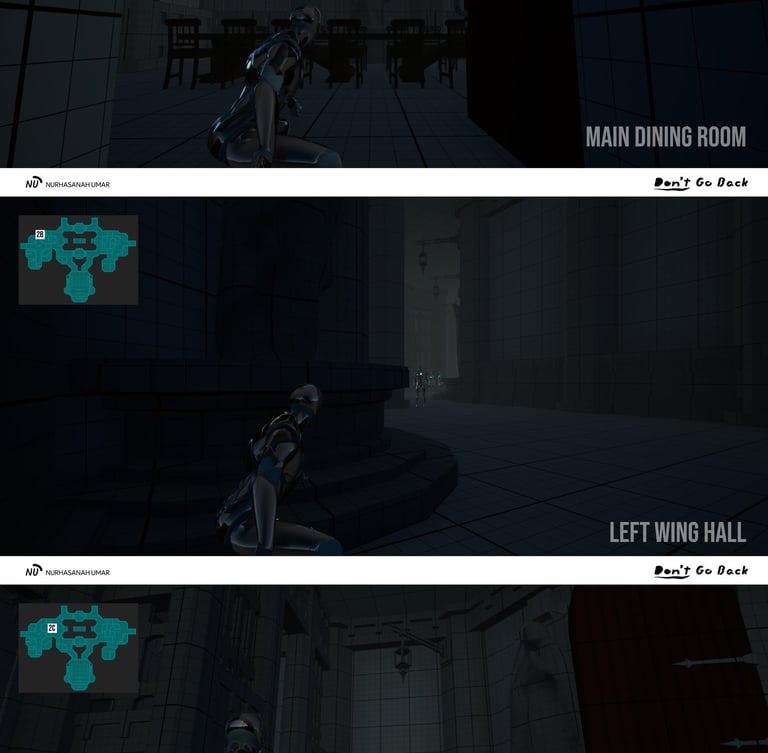

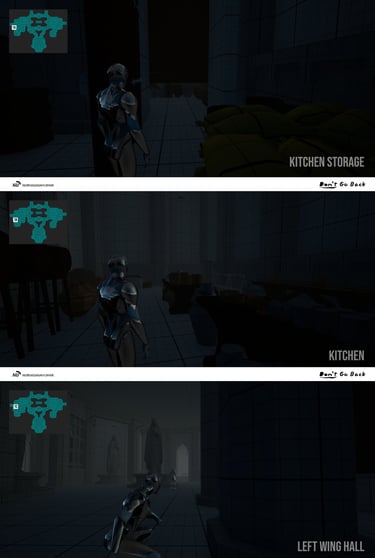

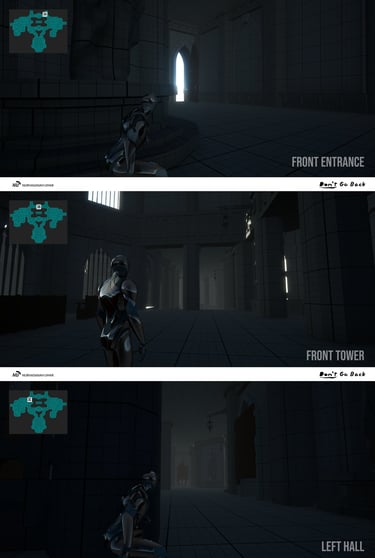

1A. Kitchen Storage → Shows how old and abandoned the church is because it's full of dust.
1B. Kitchen → The traditional kitchen tools visually tell it's a place from a long, long time ago.
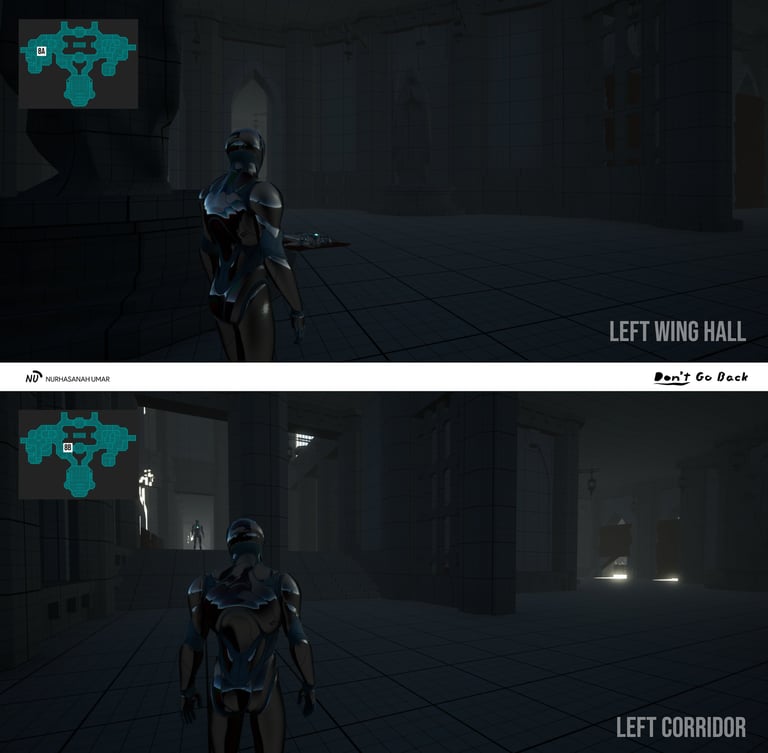
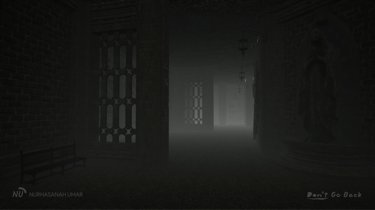
1C. Left Wing Hall → Set up the tension, overall ambience of the place, and teach 'pressing keys' mechanic to hide from abductor (enemy).
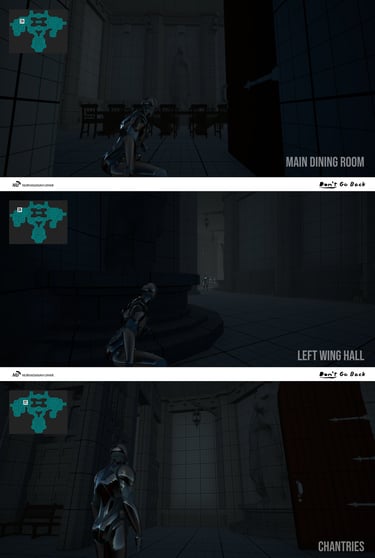
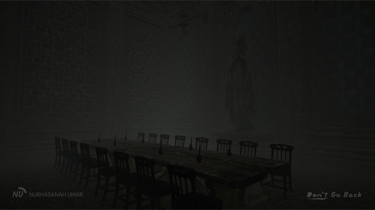
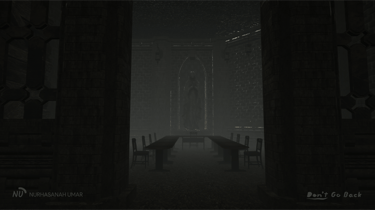
2A. Main Dining Room → Found a weapon and the first apprentice's letter, triggering questions about this place and the strange pastors.
2B. Left Wing Hall → Shows how perceptive the abductors are and teaches the 'hold breath' mechanic to not get noticed by them.
2C. Chantries → Shows how bad the player's physique is and his calm/optimistic tendency.
3A. Front Entrance → Shows the opened front entrance door that can be used to escape and the danger of the knives abductor.
3B. Front Tower → Shows the player's intelligence and realistic way of thinking.
3C. Left Hall → Tells how important the player is to the abductors that must be captured alive and shows the door to the Main Chapel is open.
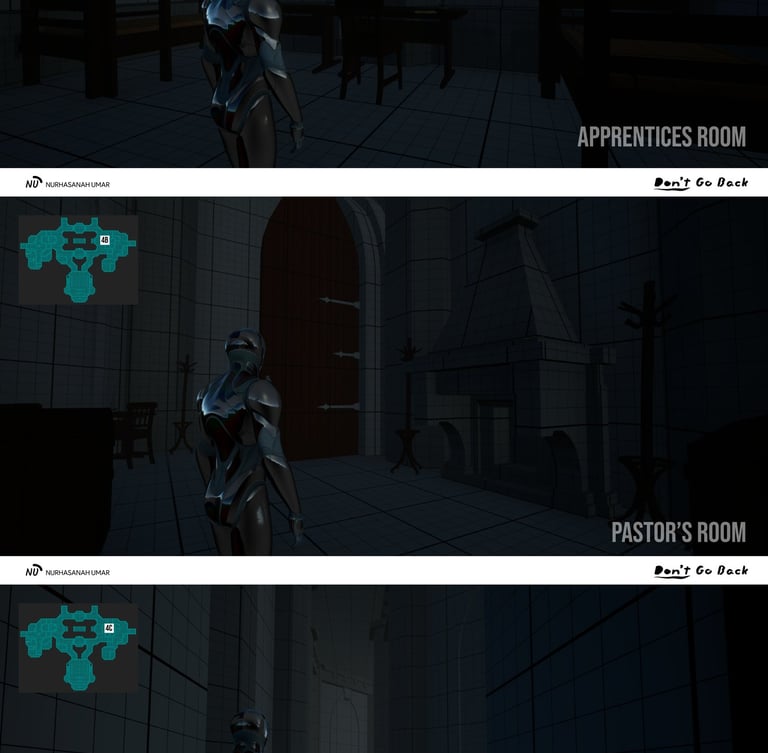
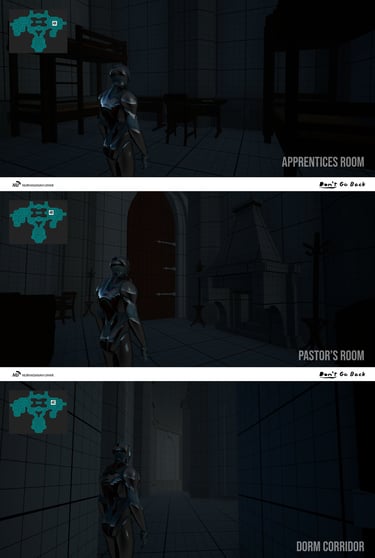

4A. Apprentices Rooms → Major clues about the pastor's improper acts, no clues about the keys, and the player hears the abductors quarrel.
4B. Pastor's Room → Clue about the pastor's meeting in the Chapter House and the gun abductor almost found the player.
4C. Dorm Corridor → The player used the back corridor to go to the Chapter House.
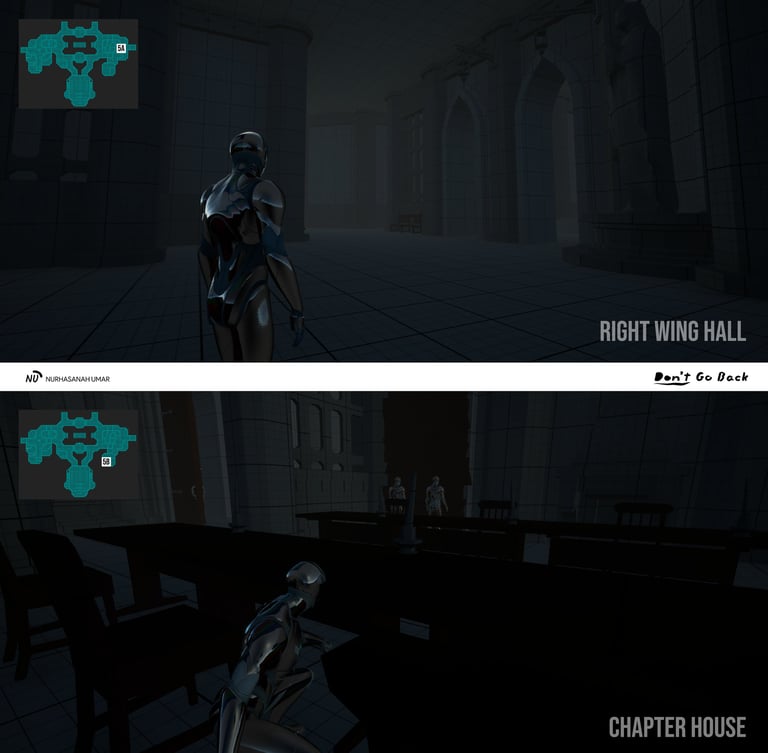
5A. Right Wing Hall → Connecting areas between the Dorm Corridor, Chapter House, and the Left hall that lead to Inner Garden.
5B. Chapter House → Shows the pastor's wrongdoing, analyze clues that resulted in 'the keys are in the Inner Garden, and the first face-to-face event with the abductor (the player attacks one of them to escape).
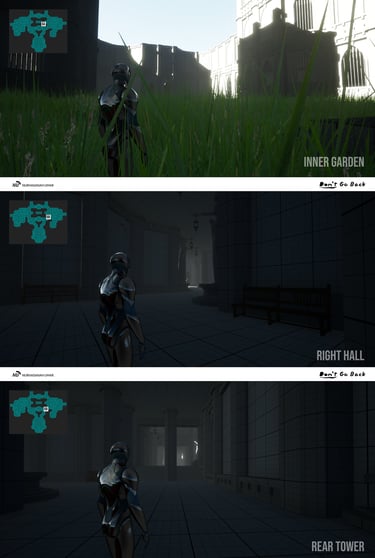
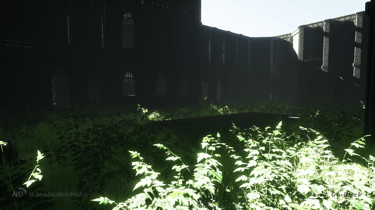
6A. Inner Garden → Almost gets caught by the gun abductor, the first meeting with the kind ghost boy, clues about the keys, and reveals this church is a satanic cultist church.
6B. Right Hall & Rear Tower → Long corridor to intensify the tension & shows the other door to the Main Chapel is open.

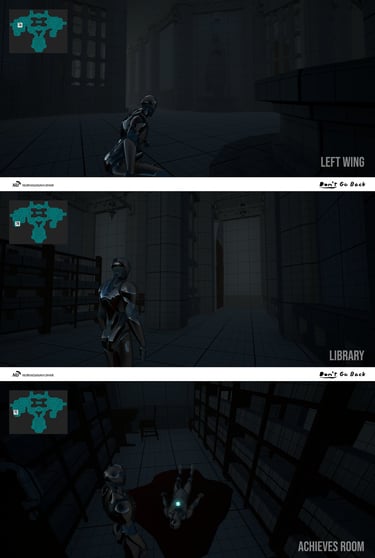
7A. Left Wing → Main place that shows the strangeness of the 'boy' who the abductors thought was the player.
7B. Library → Deepen the ambience of the church & slow the tension by carefully opening the wooden planks.
7C. Achieves Room → The player finds the keys but gets destroyed by an abductor, conversation with the voice inside the player's head, and the player's character develops to kill the muscular abductor and take his army knife.
8A. Left Wing Hall → One-sided assault by the drunk abductor, the player's dagger got destroyed, the abductor calls for his friend, and the player stabs him using army knife.
8B. Left Corridor → The player hides from the knives abductor but gets found out and chased him down, the drunk abductor died, the gun abductor joins the chase to capture the player who killed the drunk abductor--forcing the player to enter the Main Chapel to run away from them.
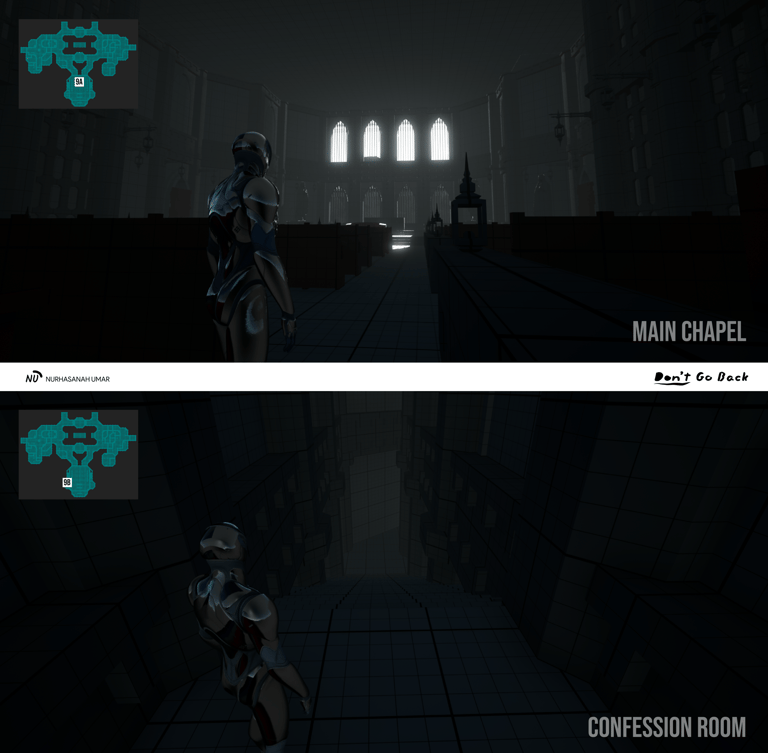
9A. Main Chapel → Dodging the two abductors' coordinated attacks at a high pace while using the surrounding props, all in a cinematic environment.
9B. Confession Room → Sudden transition into a narrow path to amplify the tension, intensify the claustrophobic feeling, and the player gets afraid but decides to go down to the underground area (the main area for the satanic cult) after seeing the kid who helped him before.
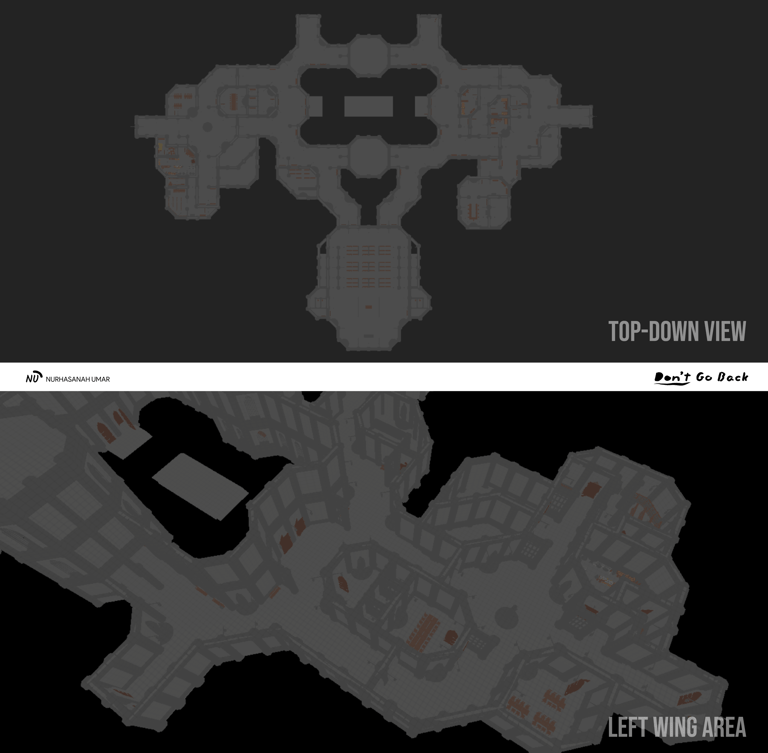
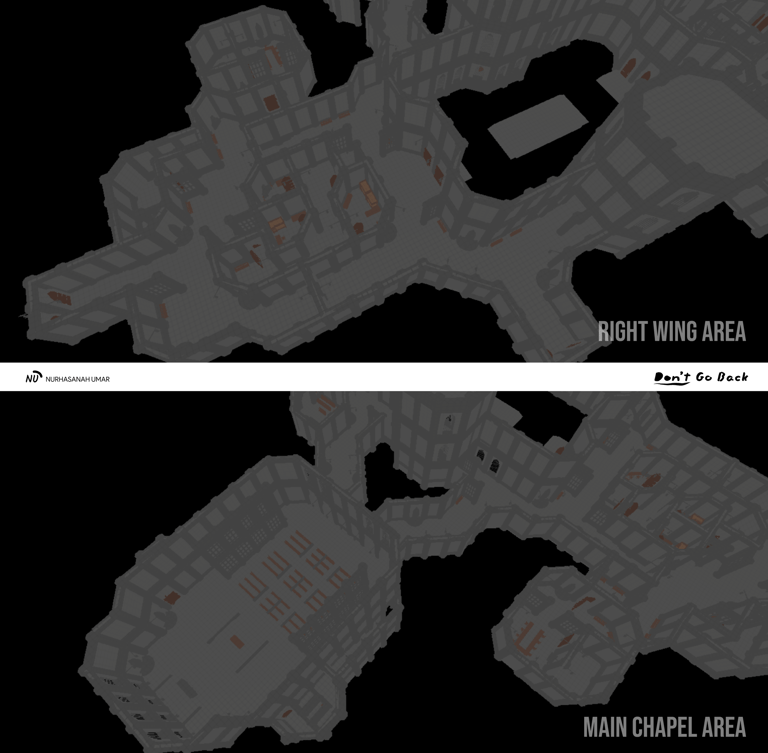
Top-Down View & Left Wing Area
Right Wing Area & Main Chapel Area
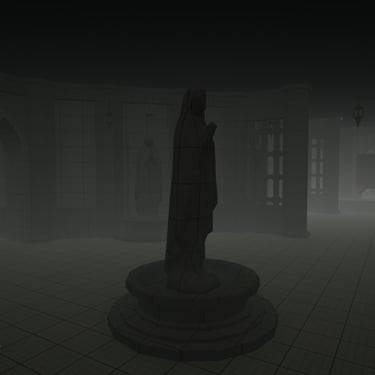
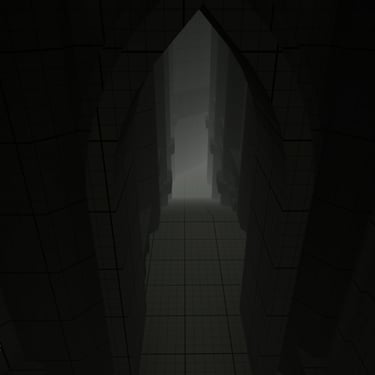
Blockout Render

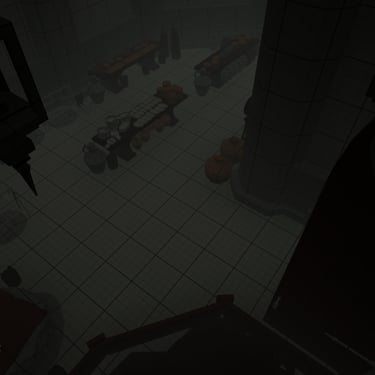


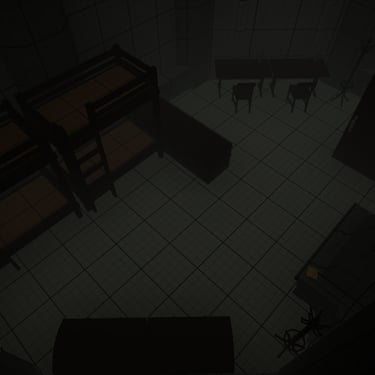
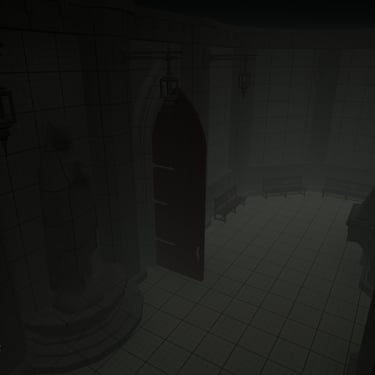
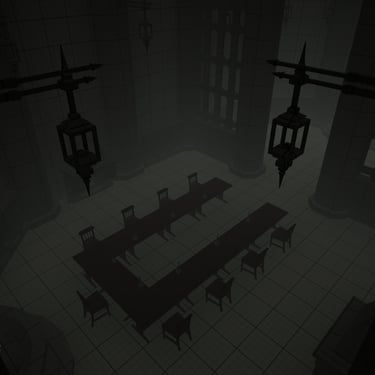


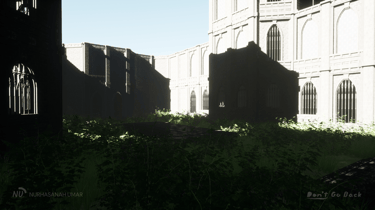
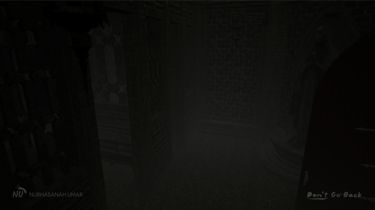
Cinematic Render
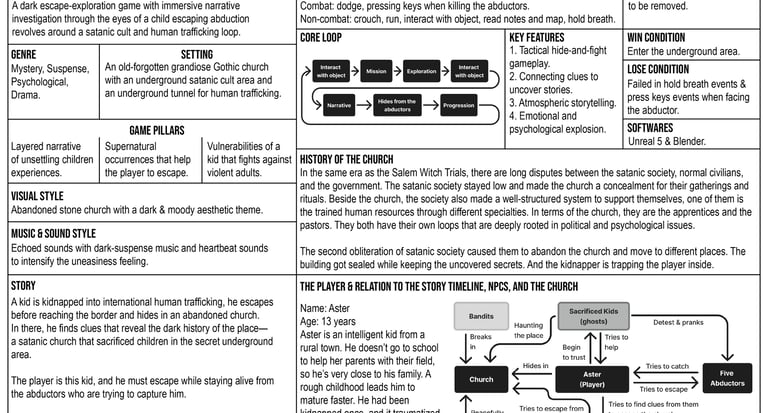
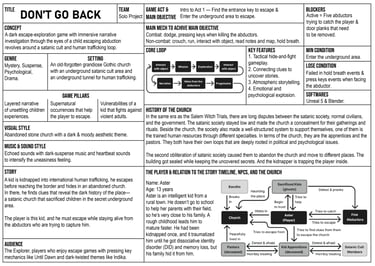
One Pager
Playthrough (Blockout)
Final Blockout

Things I’ve Learned
Time constraints/deadlines are one of the problems that are (often) out of our control. We must adjust the jobdesks and whole development workflow to them. Sometimes stepping out is not a choice, and we must give our best within the time limit.
Rapid prototyping (blockout iteration) works like a wonder. Create, analyze, solve the problem, repeat. Don't get stuck at perfecting everything at once, just make small things better one step at a time. It's more sustainable and solid for the long run, especially if we're working inside a team.
Using Blender for a fast sandbox session is nice since the 3D modeling features let us develop the level freely. But it lacks the in-game playtesting features to know whether the scale and level pacing are suitable or not. Don't get stuck on visual details, focus more on improving the playtest experience.
An area's size, shapes, and complexity are affected by the narrative and story flow. Understand both of them properly and don't let our ego get in the way, focus on facilitating the delivery of a good gameplay experience and not making the level feel like too much or too little—find the balance.
Deeply understand the 3D assets sizes, collision, modularity, alignment, etc. Everything can be different based on the assets pack. If the creator provides a demo map level, take time to learn the usage of each asset. Understand how those assets were used and make notes for future reference.
Analyze every blockout iteration and document every change made inside it. It helps to track the revision progress, problems encountered and applied solutions and make sure every decision is logical. It also aids effective communication with other team members.
Resources
Modular Gothic/Fantasy Environment: https://fab.com/s/b13dccbf259b
Old West - VOL 4 - Goods and Supplies: https://fab.com/s/fe22a82619c3
Realistic Clay Pots: https://fab.com/s/48a540e06419
Other assets and materials: Quixel Bridge, Unreal Marketplace
Audios: Epidemic Sound
© 2025 Nurhasanah Umar. All rights reserved.